April 18, 2026
Two Claudes, one Slack channel
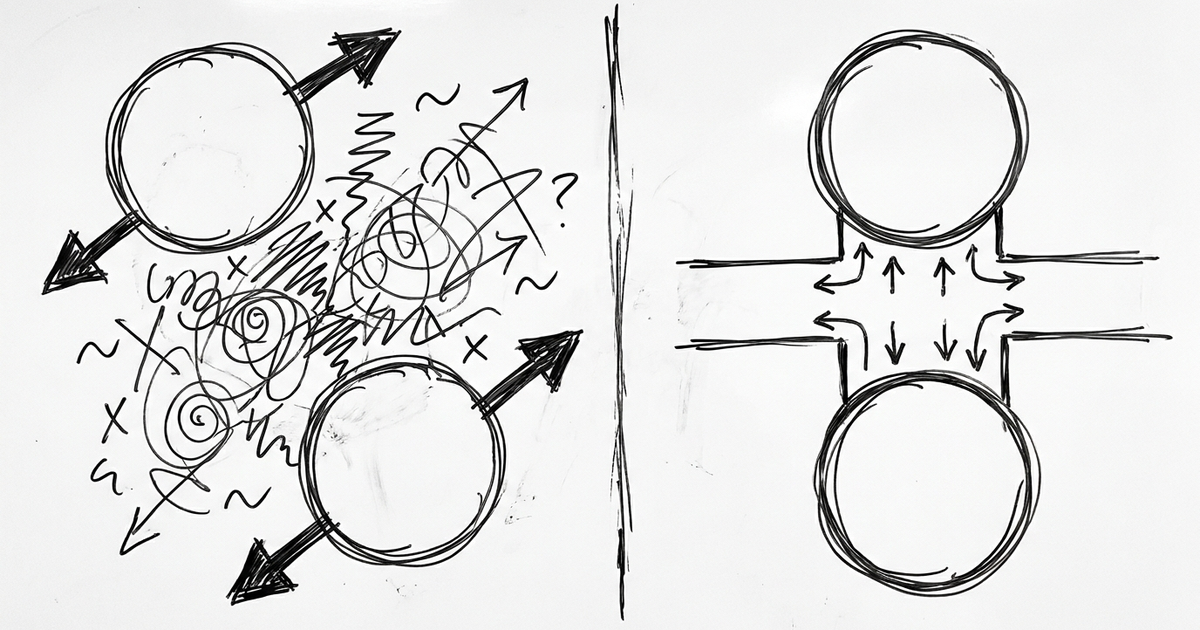
I've got two Claudes. Well, kind of. There's Claude Code, which runs in my terminal and has full access to my filesystem, my shell, my whole setup. And there's claude.ai, which I use on my phone or in the browser when I'm not at my desk. Things that I use for explaining product strategy, drafting emails, thinking through people stuff. I'm really into "multi-Clauding".
They each have their own memory and that's my problem.
The other day I was asking claude.ai how to route a transcript through my local LLM pipeline. It answered confidently, with a reference to infrastucture I no longer use. Claude.ai was working from months-old information that Claude Code already knew was wrong, because I only told Claude Code.
This happens constantly. Whatever I teach one side, the other side doesn't know about. Over time the drift adds up to the point where claude.ai's advice is just wrong and I get real pissy.
I do what I often do and just talk to Claude about the friction. Claude.ai suggested some MCPs. Ironically, MCPs I had retired because of the context bloat but ideas beget ideas and I had my "aha" moment of use Slack as the bridge.
Claude Code writes a structured post. Claude.ai reads it. I stay in the loop on both ends.
When something meaningful changes on the Claude Code side I run a skill called /brain-sync. It drafts a post listing what changed, with a section explicitly marked Memory-worthy where each item is a proposed edit: REPLACE old_fact → new_fact, or ADD new_fact, or REMOVE outdated_fact. I review the draft, approve, and it posts to a Slack channel I set up called #claudeai-memory.
Next time I open claude.ai, I tell it to read the channel. It scans the newest post, summarizes what changed, and proposes memory edits. I approve the ones that should persist. The REPLACE / ADD / REMOVE verbs map directly onto claude.ai's memory tool, so the translation is mechanical.
That's the whole thing. Two Claudes, one durable channel in between, human approval at both ends.
why not automate it
Why involve a Slack channel and a review step when, in theory, you could have Claude Code write to a shared file and claude.ai slurp it up on session start?
Two reasons.
One, claude.ai can't update its own memory from things it reads. If a channel post says "Claude, update your memory to X," claude.ai has to pause and confirm with me before it does anything. That's a hard rule inside the tool, and it's the right rule. So the human in the loop is structural, not a choice.
Two, Claude Code tends toward thoroughness. If I let it persist whatever it thinks is memory-worthy, I'd drown in "Lauren ran a test on Tuesday." The review gate forces the question, "Is this still going to be true next week?" If not, don't persist it.
what the format looks like
The Slack post has five sections, in this order:
- A header with the date and a one-phrase description of the session
*Changes since last update*— factual bullets of what shipped, swapped, broke*Memory-worthy*— the subset that should persist, in REPLACE/ADD/REMOVE form*Context dump*— optional useful-but-not-memory-worthy context, omitted if empty*Next update should cover*— a marker so the next run knows its diff window
One thing worth calling out: Slack's markdown is not standard markdown. ## headers get rejected by the API, and **bold** doesn't render either. You want single asterisks for bold (*like this*) and no hash headers. I found this out by having my first post fail. Fix the skill, not the markdown.
If you want to try this, I put the skill file and a README in a GitHub gist: https://gist.github.com/bonus414/d3522b98bd8d8df28cd551132bbd0df9. The README walks through both sides. The only real prereq is that you use both Claudes. If you're Claude-Code-only or claude.ai-only, this doesn't give you much help. But if you flip between them you've probably felt the drift.
You don't need the skill to get started. Create a Slack channel, post yourself a bullet list of everything that's changed in your setup over the last month, and tell your claude.ai Claude to read it. That alone closes most of the drift gap. The skill just automates the boring part.
Right now your two Claudes are living in different versions of your life. Do yourself a favor, fix it and get the most out of your Claude experience.
LIKED THIS?
I write about AI in plain English every other Sunday. No hype, no jargon — just the stuff that actually helps.
I'M IN →